
Manage agent availability
Learn how to set agent availability to control ticket assignments and team visibility.
Agent Availability allows you to control when you receive work by marking yourself as Away directly from your profile. Whether you are stepping out for a quick break, attending a meeting, or focusing on critical tasks, this feature ensures that assignments automatically respect your availability and gives your team instant visibility into who is reachable.
Set your availability status
You can easily change your status to let your team and the routing system know if you are available to take on new requests.
-
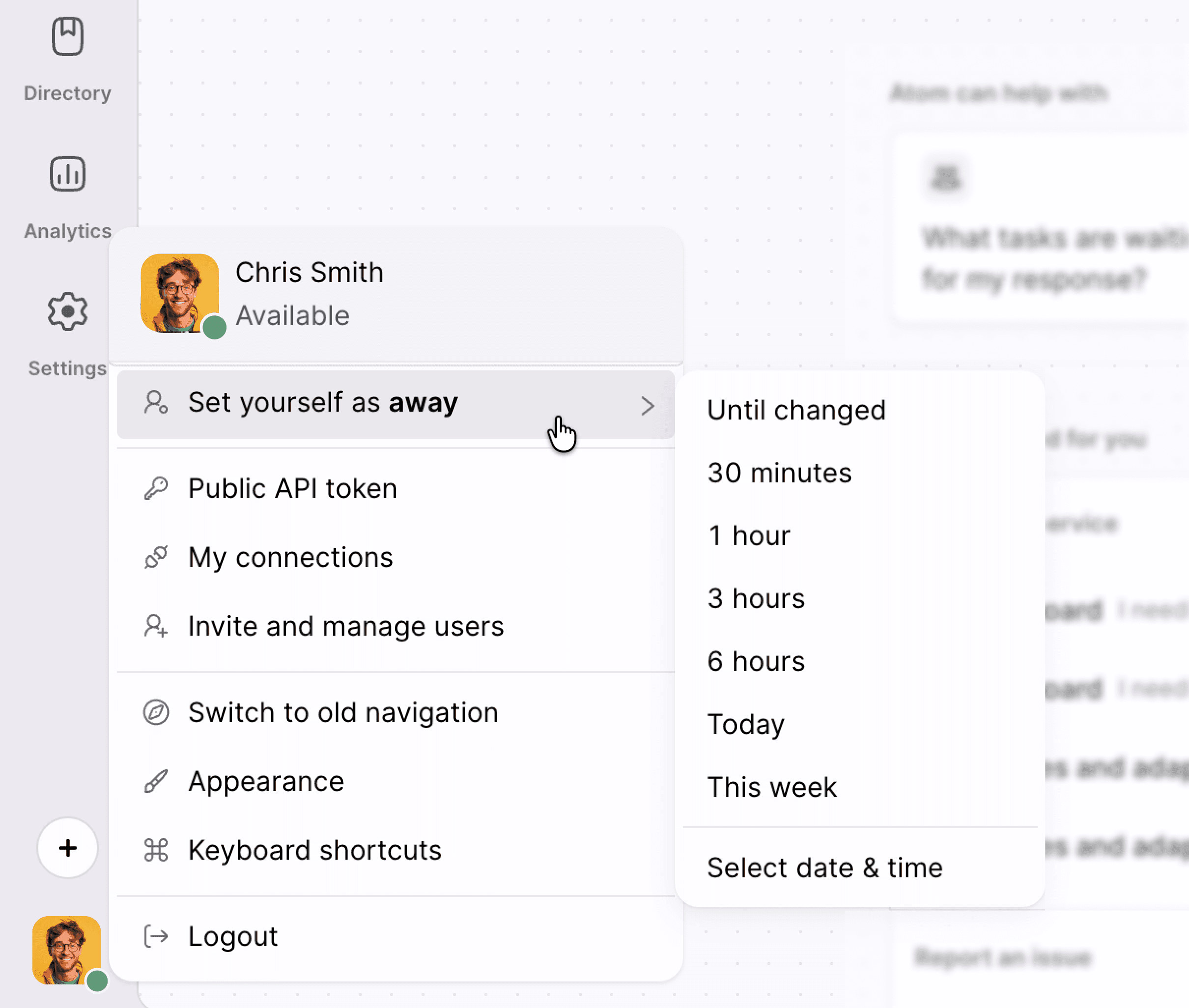
Click your profile dropdown in the navigation bar.
-
Toggle your status to Away.
-
Select a quick duration option such as 30 minutes, or 1 hour, 3 hours, 6 hours, or choose a custom return time. You can also set yourself as Away indefinitely.
Understand automatic return
When you choose a fixed duration for your Away status, the system tracks the time for you. Once the selected time expires, your status automatically reverts to Available. You do not need to manually switch back, ensuring you receive new assignments as soon as you return.